
Some handhelds have a sliding or swivelling screen, like the RG Rotate. GammaOS can react when you slide the screen: rotate the display, sleep or wake, launch something, or show a slick PSP-style clock. It is all under Settings > Slide Behaviour.
This page is for devices with a slide or swivel sensor. On a device without one, these settings have no effect.
Telling GammaOS about your slide sensor
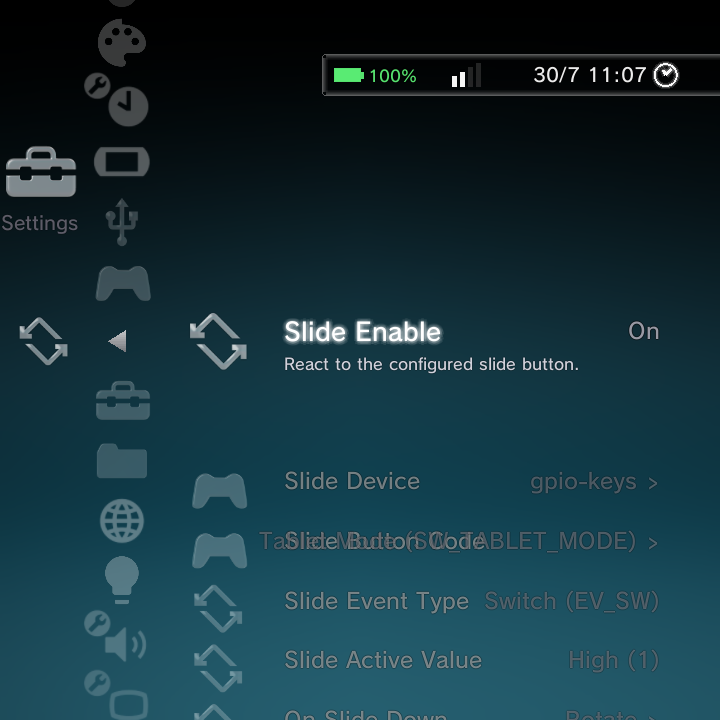
The first rows describe the hardware, so GammaOS knows which signal to watch:
| Option | What it does | Example |
|---|---|---|
| Slide Enable | React to the slide button at all | On |
| Slide Device | Which input device reports the slide | gpio-keys |
| Slide Button Code | The event code that device sends | TABLET_MODE |
| Slide Event Type | The kind of event | Switch (EV_SW) |
| Slide Active Value | Which state counts as engaged | High (1) |
These defaults are already correct for supported devices. You only touch them if you are adapting the feature to new hardware.
What happens when you slide
Two rows decide the actions:
- On Slide Down: what happens when you slide the screen. Choose from Rotate, Restore Natural, Sleep, Wake, Launch App, Close App or PSP Clock (tick as many as you like, then press OK to save).
- On Slide Up: what happens when you slide it back.
Supporting options:
- Sleep Delay: how long to wait before sleeping (for the Sleep action).
- Rotation Angle: the angle used by the Rotate action (for example 90 degrees).
- Slide Launch Target: the app to open with the Launch App action (see below).
Choosing the Slide Launch Target
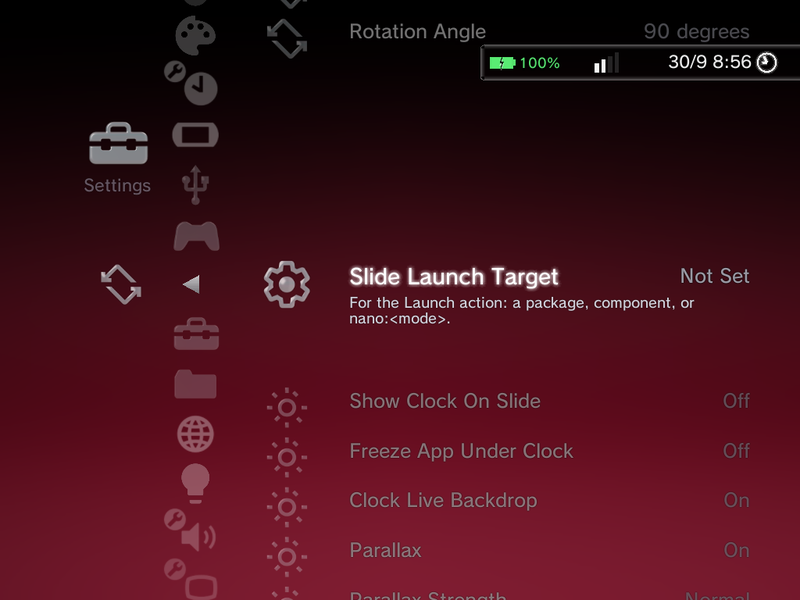
Slide Launch Target reads Not Set until you choose something. Select it and a Launch Target list of your installed apps opens. Pick an app, then pick which of its screens (activities) to open; Default activity is first and is the right choice for almost every app. The row then shows the app (and activity) you picked.
Close App
Add Close App to a slide action to force-stop the launched app when you slide. A typical pairing is Launch App on Slide Down and Close App on Slide Up, so sliding opens your chosen app and sliding back closes it again.
Square-panel landscape lock (RG Rotate)
On the RG Rotate's square 720x720 panel there is no aspect ratio to tell portrait from landscape apart, so games could end up rendering into only half the screen. Nano now forces launched apps to landscape in both slide positions, so a game fills the panel whether the device is open or closed.
Rotation in normal Android
The slide/swivel rotation is respected in normal Android (desktop/TV) mode too, not just in Nano. For the desktop-mode Screen Orientation controls that pair with this, see the Full-Android desktop features page.
The PSP clock
When the PSP Clock action is set, sliding the screen shows a large, polished analog clock, in the spirit of the PSP's clock. It is a lovely way to use the device as a desk clock when it is slid open.
The slide clock now appears over a running game in the DSi and Minima themes as well as XMB, so closing the device always drops the clock over whatever you were playing. In home or wallpaper mode it shows your wallpaper or the active theme's own background behind it instead of the XMB wave.
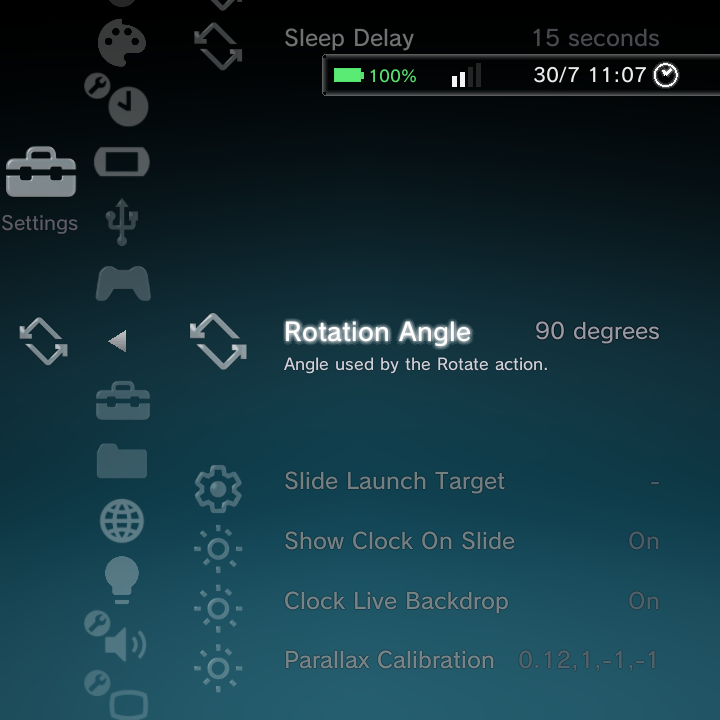
These rows at the bottom of Slide Behaviour tune the clock:
- Show Clock On Slide: turn the clock on or off when you slide.
- Freeze App Under Clock (default Off): pauses the game underneath while the slide clock is up, and it carries on when the clock goes away. The frame behind the clock stays pixel-crisp while it is paused.
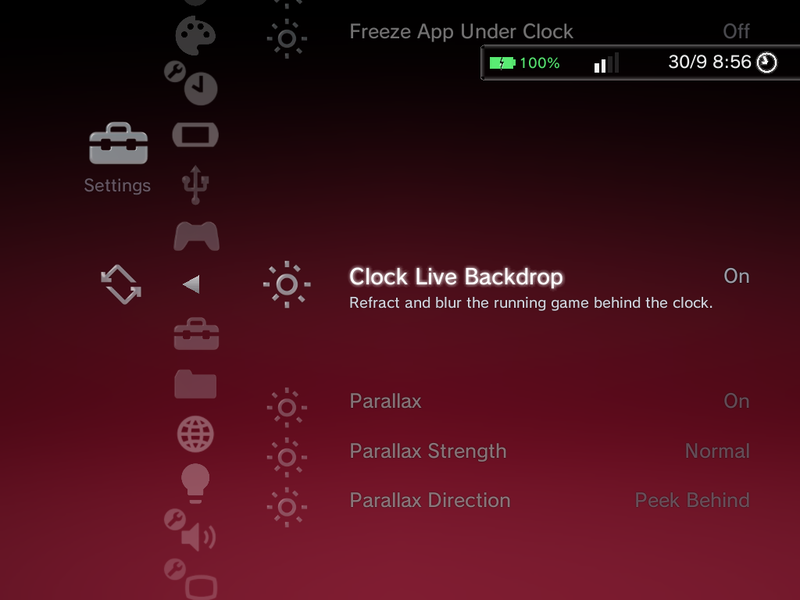
- Clock Live Backdrop: when on, whatever is behind the clock (your game or the home) shows through and refracts behind the glass, instead of a flat backdrop.
- Parallax (default On): the subtle effect that shifts the clock as you tilt the device, using the motion sensor.
- Parallax Strength: Subtle, Normal (default), Strong, Extra Strong or Maximum.
- Parallax Direction: how the clock moves with the tilt. Peek Behind (default) moves the clock against the tilt, as if you were peeking around it, Follow Tilt moves it the same way you tilt, and Invert X Only / Invert Y Only follow the tilt on one axis only, for when just one direction feels backwards on your device.
These three friendly rows replace the old raw Parallax Calibration field, so there is no number string to type any more.
The clock reads the time from your device, so make sure your Date and Time is set. Turn on Clock Live Backdrop for the nicest effect while a game is running behind it.
Where to go next
- Gamepad & Remapping for controller options.
- Settings Reference for the whole Settings tree.