
GammaOS Nano is a media player as well as a game launcher. Your handheld can play music, show off your photos, and stream video, all from the home menu.
The home menu has three media categories: Music, Photo, and Video. Each one scans your storage for supported files and organizes them into easy-to-browse libraries. Every category also has an online browser (Internet Radio, IPTV, and DLNA/network share search) so you are not limited to files on your device.
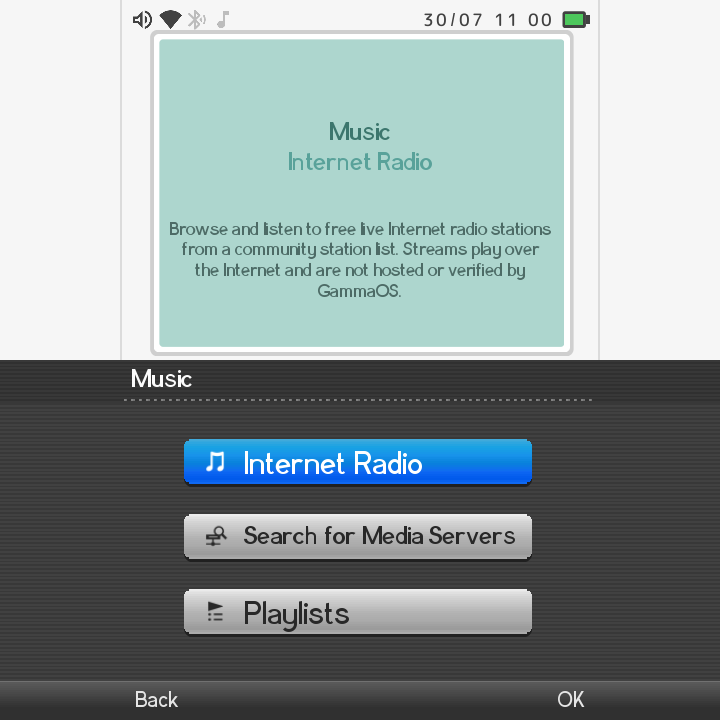
Music
Open the Music category to browse your library three ways:
| View | What it shows |
|---|---|
| Albums | Your tracks grouped by album |
| Playlists | Manual groups you create across folders |
| Tracks | Every song in one flat list |
Supported audio formats: mp3, flac, m4a, aac, ogg, opus, wav, wma.
Now Playing
Start a track to open the Now Playing screen. It shows the album art plus:
- Play and pause
- Previous and next track
- Volume
- Visualizers (choose Canyon or Globe)
On tall portrait panels the Now Playing view switches to a vertical, phone-style layout: a large centred album jacket, the title and artist below it, a full-width seek bar, and the controls under that.
You can tap or drag the seek bar to jump to a point in a local track. It previews the position while you drag and commits when you let go.
If you have set a custom wallpaper, a dark scrim sits behind the player so the art, text and controls stay readable over busy images.
Deleting the track you are listening to now keeps the music player open and moves to the next track, instead of dropping you back to the home menu.
Internet Radio
Music includes an Internet Radio browser, turned on by default. Browse and play live radio stations without any local files.
Want your own station list? You can set a custom playlist URL in Settings > Music Settings (Internet Radio on/off and Radio Playlist URL). See the Settings reference for details.
Photo
Open the Photo category for a thumbnail grid that opens into a full-screen viewer.
Supported image formats: jpg, png, webp, bmp, gif, heic, heif.
In the viewer you can:
- Pan with touch and pinch to zoom
- Start a slideshow with play/pause and previous/next
- View info about the current photo
- Delete a photo
Group your photos by Month, Year, Album, or All so a big library stays tidy. You can also build Playlists, which are manual groups that pull photos from across different folders.
Bulk photo delete
Deleting a photo group (by folder, month or year) or several photos you have checked now permanently removes the files, not just the entries. Bulk photo copy was removed because the clipboard only holds one path, but copying a single photo still works.
Video
Open the Video category to browse by Folders, Playlists, or a flat Videos list.
Supported video formats: mp4, m4v, mkv, webm, mov, 3gp, avi, ts, mpg. MPEG-TS and AVI are handled in-process, so those tricky formats just work.
The full-screen player gives you:
- Play, pause, and seek
- Volume
- Multi-audio-track selection (tracks are labeled by language)
- Subtitle and caption selection
- Chapter jumps and Scene Search
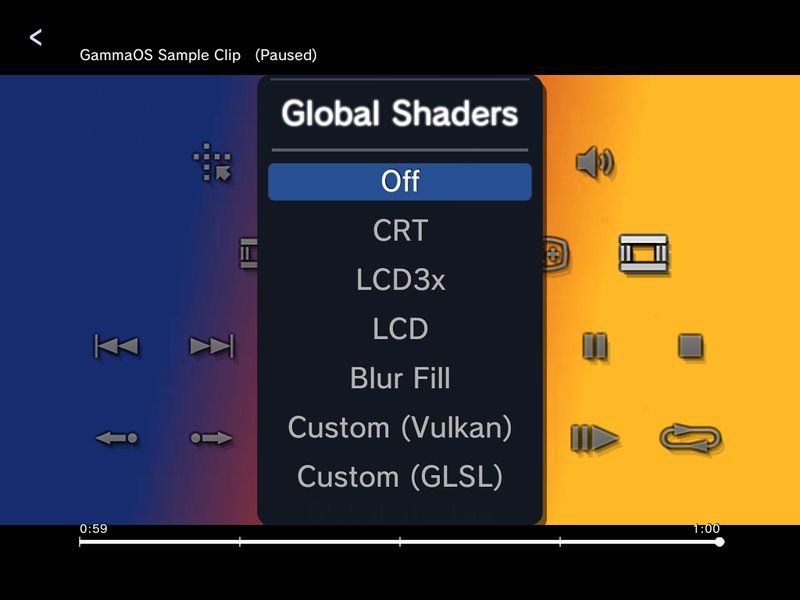
- Global Shaders without leaving the video
Big files are no trouble: seeking, chapter jumps and switching audio tracks on large MKV files no longer crash, freeze or drift out of sync.
The control panel
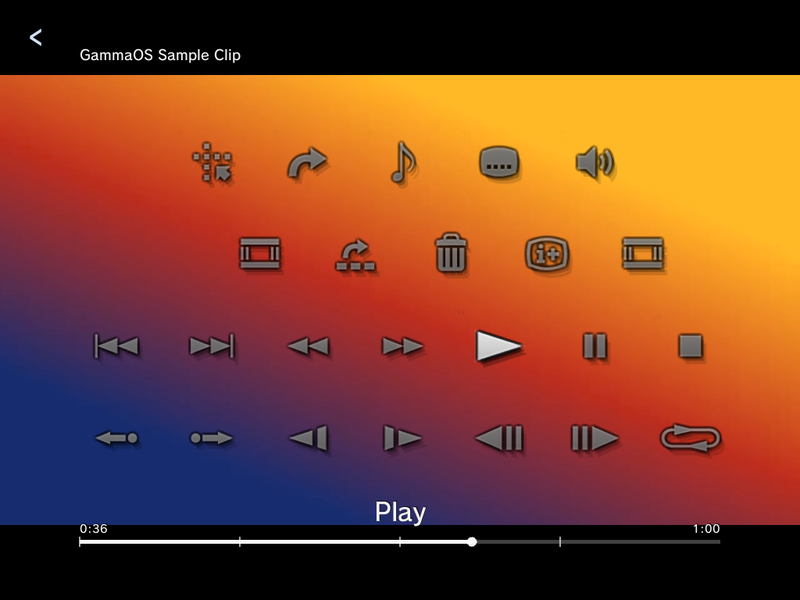
Press the top face button (Triangle, labelled X on most handhelds) during playback to open the control panel, a PlayStation-style grid of icons over the video. Move to an icon and its name shows under the grid; press A to use it. The seek bar at the bottom shows a tick for each chapter.
Subtitles, including embedded MKV tracks
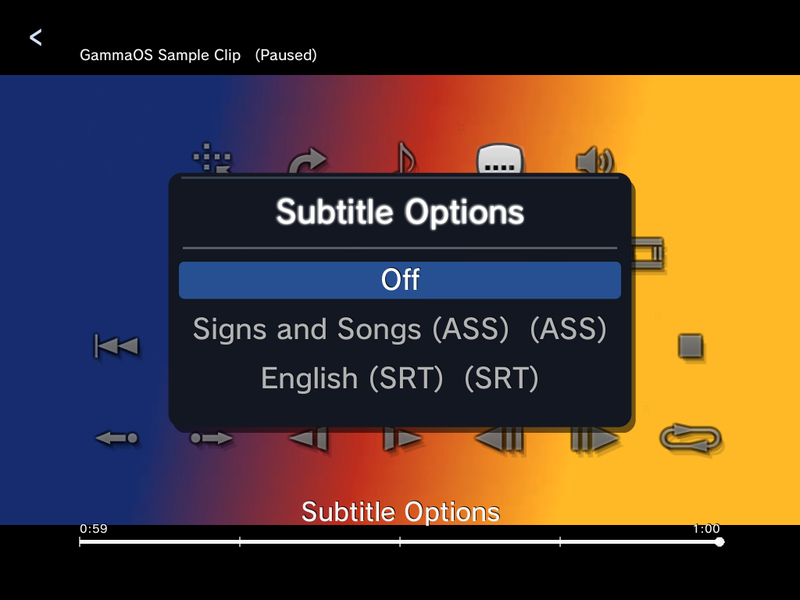
Open Subtitle Options from the control panel. The list starts with Off, followed by every subtitle track the player found:
- Tracks embedded inside MKV (Matroska) files, both SubRip (SRT) and ASS/SSA, named with their track title and type.
- External
.srtand.vttsubtitle files with the same name as the video, in the same folder. - Closed captions CC1 to CC4 for
.tsrecordings that carry them.
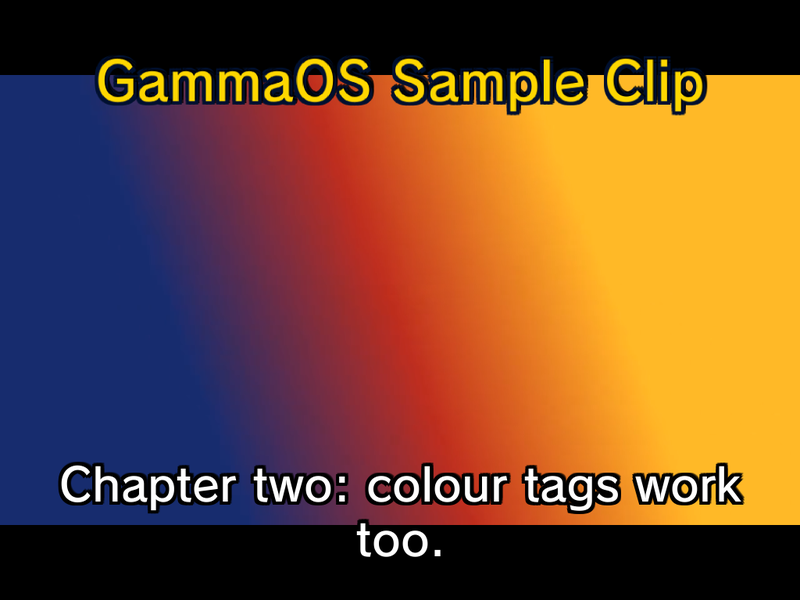
ASS/SSA subtitles are drawn as they were typeset: signs and song lyrics keep their position on screen, their size and their colours, so an anime release shows styled signs at the top and dialogue at the bottom just as intended.
Scene Search (chapter previews)
Scene Search in the control panel opens a grid of the video's chapters, each labelled "Chapter N" with its start time and a real preview frame from that point. The previews are prepared in the background as soon as a video opens, so the grid is ready by the time you want it. Pick a chapter to jump straight there.
Global Shaders from the player
Choose Global Shaders in the control panel to put a display shader over the video without going back to the Quick Menu: Off, CRT, LCD3x, LCD, Blur Fill, Custom (Vulkan) or Custom (GLSL). It is the same system shader as Global Shaders in the Quick Menu, so the choice stays in place after you leave the video.
Leaving the player
Backing out of the video player stops the video and its sound straight away in every theme. (In the DSi and Minima themes the audio used to keep playing after you left.)
Change a video's icon
In the video player, open the Options menu and choose Change Icon to grab the current frame and use it as that video's thumbnail in the column. Pause on the frame you want first.
IPTV
Video includes an IPTV live-channel browser, turned on by default. Browse live channels straight from the menu.
To use your own channel list, set a custom playlist URL in Settings > Video Settings (IPTV Channels on/off and IPTV Playlist URL). See the Settings reference.
Play media from network servers
Each media category has a Search for Media Servers option that browses DLNA servers and network shares on your home network. This lets you play music, photos, and video that live on another computer or NAS, without copying anything to your handheld first.
To mount a share so its files also feed the scanned Music, Photo, and Video libraries, set it up in Network Shares. Mounted shares behave just like local storage.
Sort and folder view
Press Y in the Photo, Video or Music library to cycle its sort modes. The final mode in the cycle groups the library by its parent folder, so files are organised the same way they sit on disk. Your choice is remembered separately for each library.
Media as wallpaper
You can set a photo or a video as your home wallpaper. When you are choosing a video wallpaper, the focused clip plays a live preview in its grid cell before you pick it, so you can see how it looks in motion.
On devices with 1 GB of memory (such as the TrimUI Brick), video wallpapers larger than 720p are refused, because decoding them in the background could exhaust the memory and reboot the device. Use a 720p or smaller clip there.
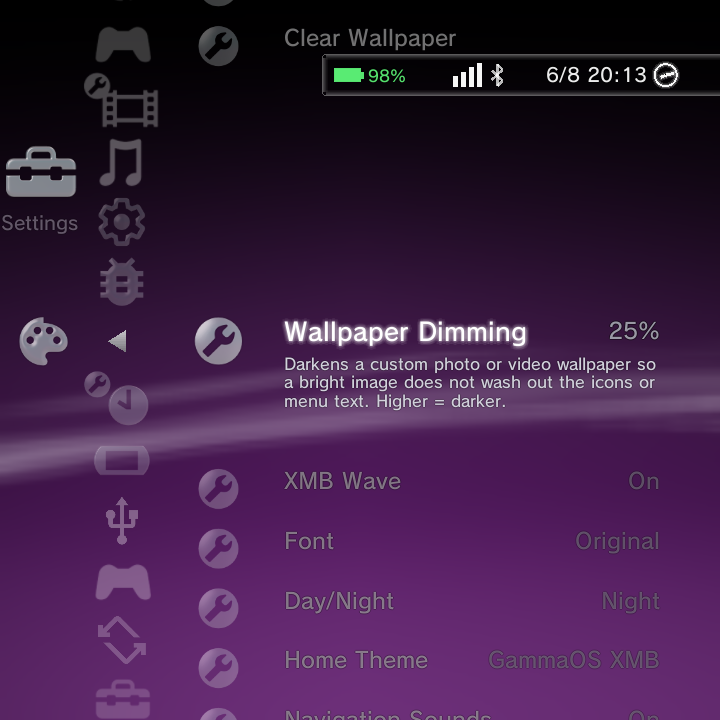
A Wallpaper Dimming setting (0 to 70%, default 25%) lays a scrim over photo and video wallpapers so bright images do not wash out the icons and text. Find it in Theme Settings. See What's New in 1.4.1 for more on the media changes.
Playlists
Photo, Music and Video each have a Playlists item, and playlists can be managed from every home theme (XMB, DSi and Minima). Everything lives in the X Options menu:
| Where you are | Option | What it does |
|---|---|---|
| On a track, photo or video | Add to Playlist | Add it to an existing playlist, or pick New Playlist... to create one and add it in one go. |
| Inside a playlist | Remove from Playlist | Take the item out of the playlist (the file itself is kept). |
| Inside a playlist | Reorder > Move Up / Move Down | Change the item's position in the playlist. |
| On a playlist row | Delete Playlist | Delete the whole playlist (the files are kept). |
Sound effects and headphones
The home's navigation sounds and music keep working after you plug in or unplug headphones; they no longer go silent until a restart. The on-screen volume level also follows the real volume after a headset change.
Per-item Options
Highlight any track, photo, or video and open the Options menu for actions specific to that item (for example, deleting or adding to a playlist). For the full breakdown of what each Options menu offers, see Context menus.