
Got a big library? You do not have to scroll. Global Search finds anything on your handheld in a couple of keystrokes.
Open Search
Press Select anywhere on the home to open global Search. It works from any category and in any theme.
Search everything at once
Search looks across all of your content at the same time:
- Games
- Music
- Photos
- Videos
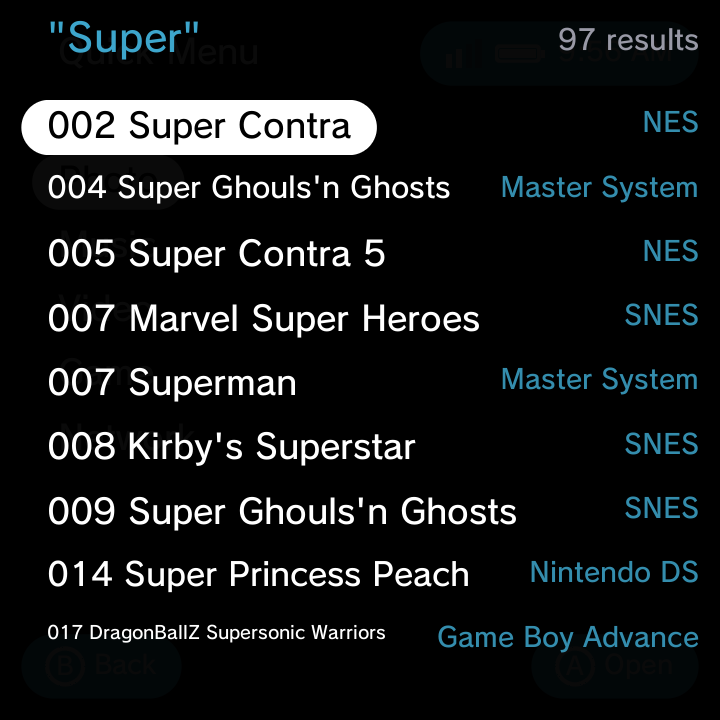
Type a word or part of a name on the on-screen keyboard and press Start to search. The results come back grouped by section (IPTV channels and internet radio stations are included too if you use them). Move the highlight to the result you want and press A to open or launch it. The next time you open Search, your last query is already filled in, so a quick edit re-runs it.
How game results are chosen
The Games section looks through every enabled game system (plus Recently Played and your installed apps) before it decides what to show, so a game in a system you added yourself, such as a hand-added arcade core at the end of your system list, turns up just as readily as one in a built-in system.
When more than 250 games match, the best 250 are kept: names that start with what you typed come first, then names that merely contain it, each group in alphabetical order. (Older versions stopped after the first 80 matches in system order, which could hide games from systems near the end of the list.) If the game you want is not in view, type a few more letters.
Music, photos, videos and the other sections each show up to 80 matches.
You do not need to pick a category first. One search covers your whole library, so this is the quickest way to jump straight to that one game or song you had in mind.
Close Search
Press Select again (or B) to close Search and return to where you were.
Related
New to moving around the menus? See Getting Around for the full navigation basics.